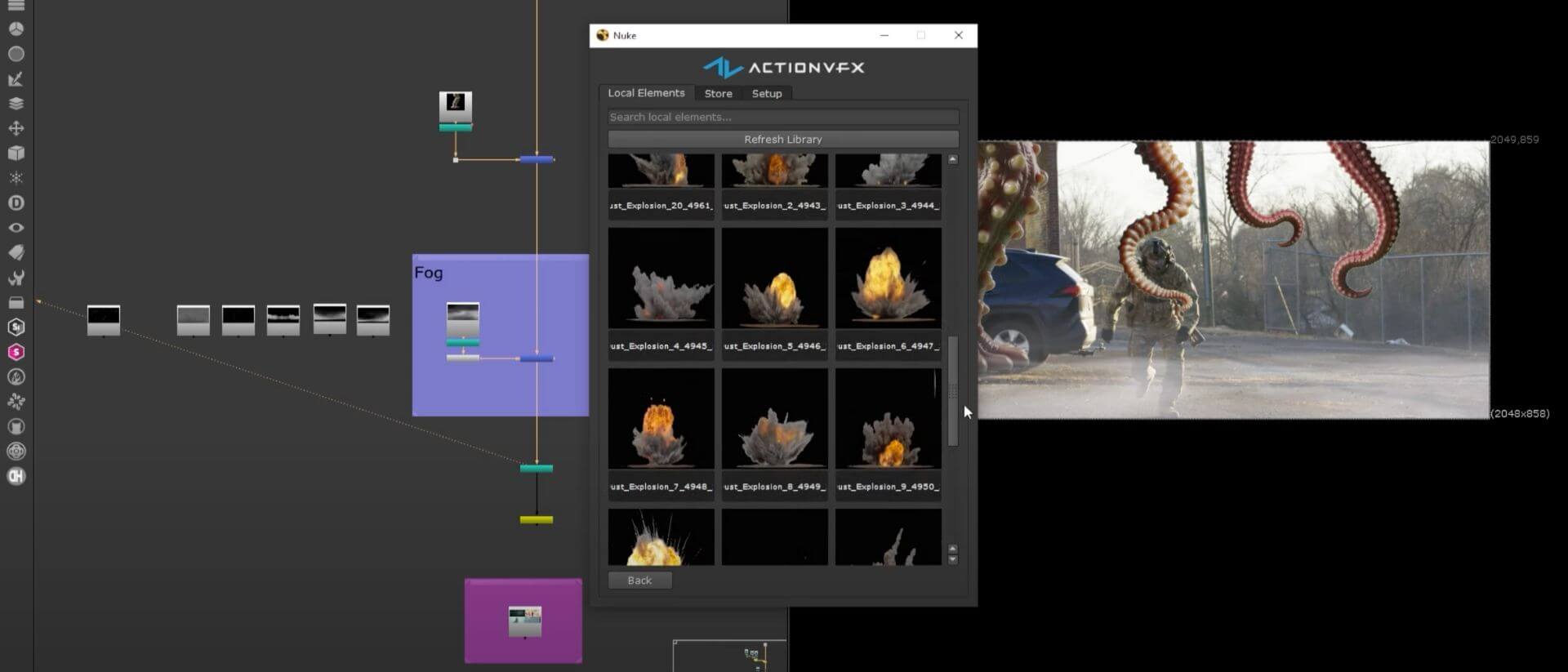
Top 10 AI Tools Transforming VFX Workflows in 2026
The top AI tools for VFX pipelines that artists and studios are using in 2026.
At ActionVFX, we're taking a bet on people approach to AI: (1) People will always want human creativity and storytelling, and that will keep the VFX industry alive. (2) When used right, AI gives artists new tools that complement human creativity, not replace it.
That's why modern artists should know which tools cut costs and timelines but keep the artist in the driver's seat. Below is a list of the top 10 AI tools (as of 2026) that we've found are doing just that. These tools automate or accelerate tedious tasks like rotoscoping, clean-up, motion tracking, and animation, freeing VFX professionals to focus on the creative decisions that need a human eye.
We'll cover what each tool is, what it can do for you, and why artists are taking notice.
Watch the full breakdown:
1. ComfyUI – Node-Based Generative AI for VFX
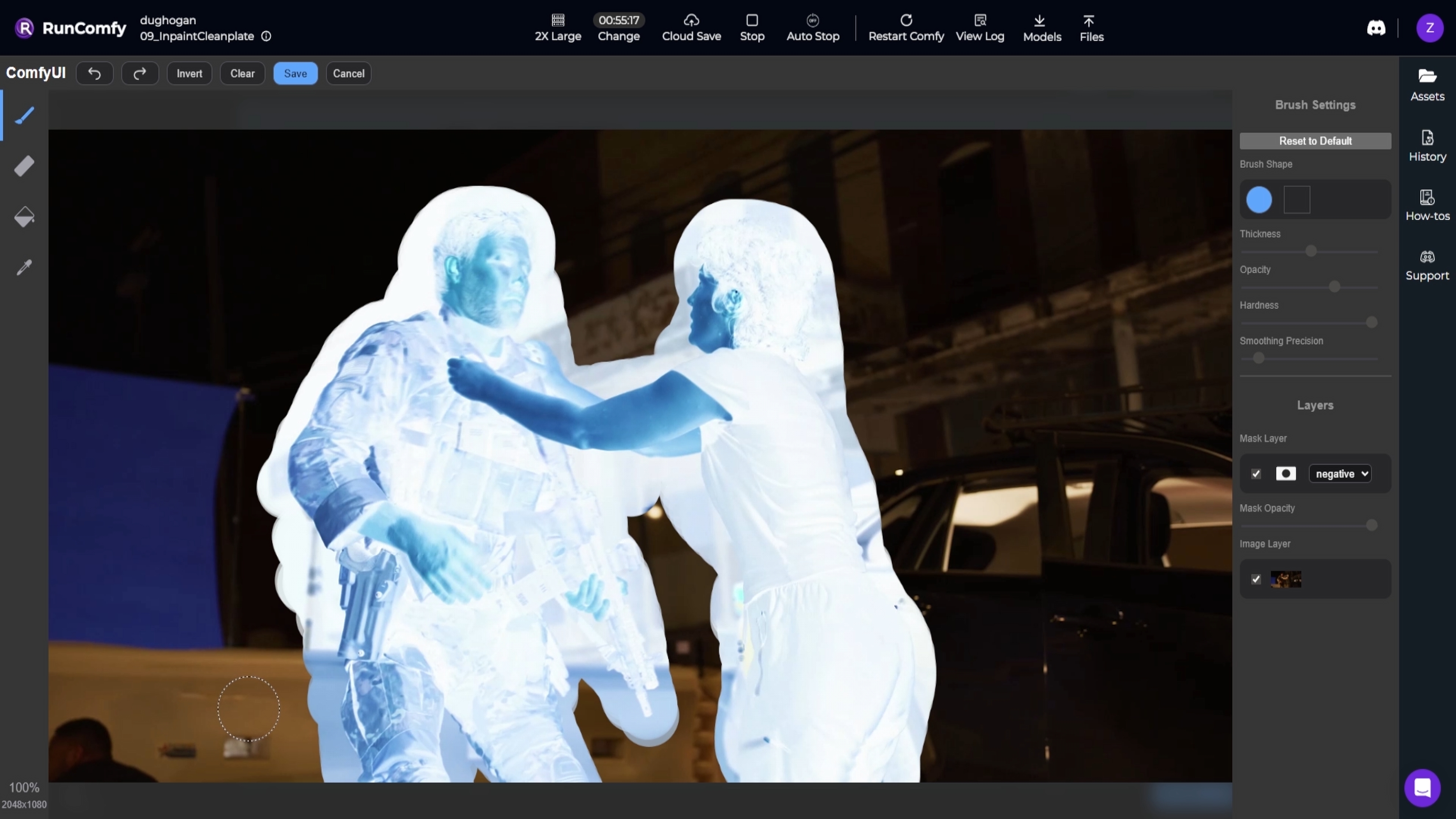
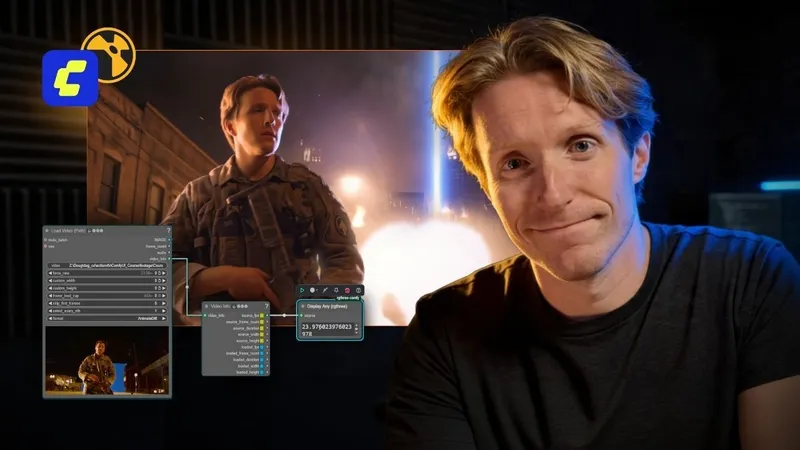
What it is: ComfyUI is an open-source, node-based application for generative AI workflows. Think of it as a visual programming interface for Stable Diffusion and other AI models. You connect nodes to build image, video, or 3D generation pipelines. It runs locally or in the cloud, and every part of the process is yours to branch, remix, and fine-tune.
How it helps artists: VFX artists are using ComfyUI within production pipelines to speed up time-consuming, repeatable tasks. You can build workflows for clean plate creation, matte extraction, and relighting. For example, you can use inpainting nodes to remove unwanted objects or generate patch textures for clean-up. Generative models help with rotoscoping by producing mattes for tricky areas that would otherwise eat hours.
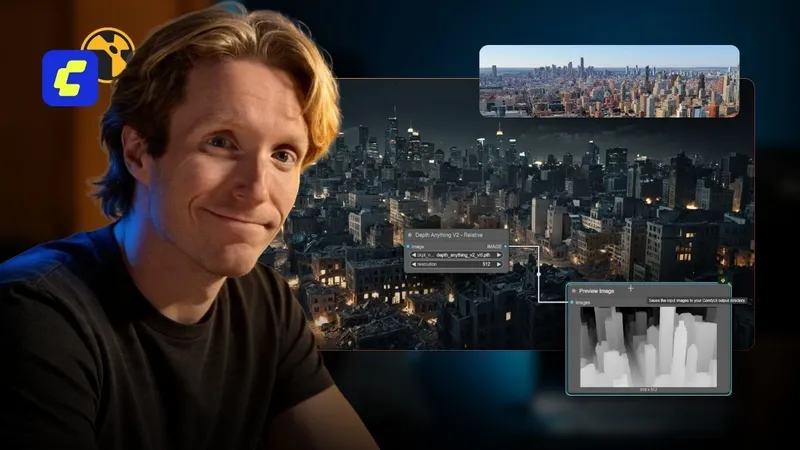
Sky replacements, depth maps from 2D images, and set extension prototypes are all possible by chaining AI models in a node graph. Studios are outputting clean EXR frames that hold up in a professional compositing pipeline.
Why it's popular: ComfyUI is free, open-source, and constantly evolving through community-built custom nodes and new model integrations. Since it gives artists more artistic control than one-click generative apps, both freelance artists and major studios are using it. Ubisoft recently open-sourced a material-generation model with ComfyUI support, hinting at its use in PBR texture workflows.
We worked with Doug Hogan, a senior compositor and advisor for ComfyUI, to make Introduction to ComfyUI for VFX. You'll learn how to:
- Install and get comfortable in ComfyUI
- Build clean plate and roto systems with ControlNet
- Relight subjects using depth maps and custom EXR passes
- Export usable frames for compositing in Nuke, After Effects, or Resolve
If you'd like to learn an ethical pipeline incorporating AI as a tool, instead of a replacement for human creativity, sign up for the course here.
2. Beeble AI – Relighting & Compositing
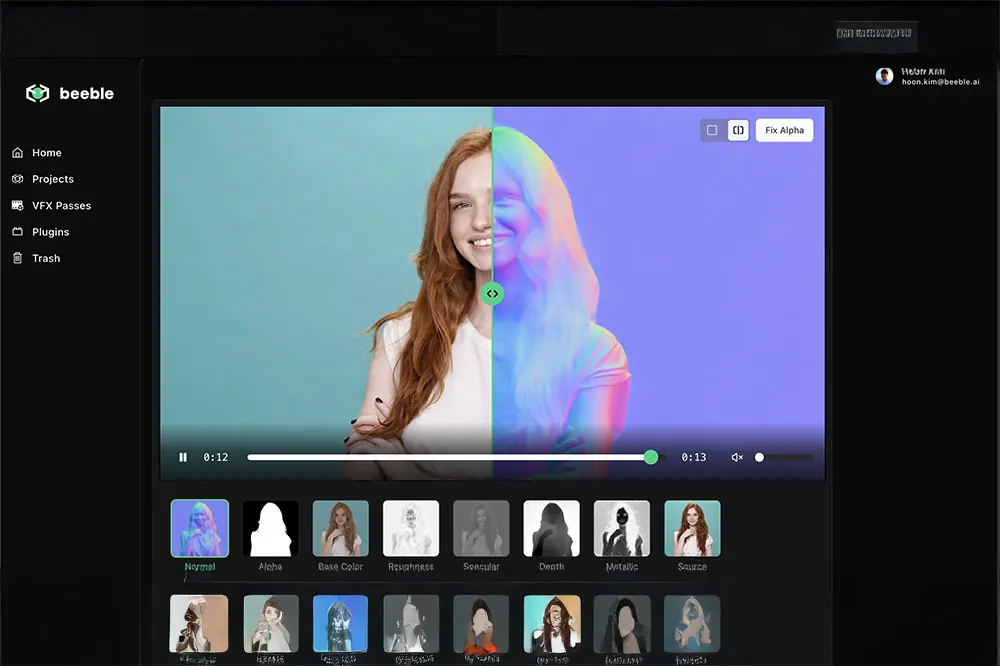
What it is: Beeble is a professional AI relighting and compositing tool that converts ordinary video into a relightable 2.5D scene. Feed it your footage and it generates a full set of PBR passes: normals, albedo, depth, specular, roughness, and alpha mattes, all pulled straight from your original video frames. It also does automatic AI rotoscoping, separating subjects from the background with a clean matte.
How it helps artists: Once Beeble converts your shot into those passes, you can relight the scene in seconds. No 3D reconstruction. No reshoots. The built-in 3D relighting editor lets you place virtual lights, shift direction and color, and see results in real time.
Beeble's SwitchLight 2.0 model generates detailed PBR maps with no manual masking required, and version 3.0 extends that to full scene environments including props, furniture, and architecture. It also ships plugins for Nuke and other compositing software, so the AI-generated passes drop straight into your existing pipeline.
Studios like Boxel Studio have credited it with giving their comp team direct creative control over lighting and faster iteration on shots.
Why it's popular: Beeble is aimed at high-end VFX and priced accordingly, with a free trial available on the web. Studios are adopting it because the time savings on reshoots and complex relighting add up fast. An alpha matte of your subject gives you an instant clean plate for object removal. Correct lighting data means CG elements integrate with the scene properly. No reshoots, just relight.
3. Autodesk Flow Studio (formerly Wonder Studio) – AI Character Animation & Placement
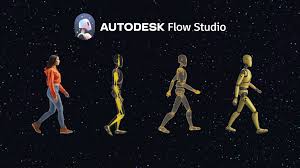
What it is: Autodesk Flow Studio is a cloud-based AI platform for inserting CG characters into live-action footage automatically. If you have a shot with an actor, it tracks the actor's motion, transfers that motion to a 3D character, composites the CG character into the scene, and matches the live plate's lighting and color. It originated as Wonder Studio by Wonder Dynamics in 2023, was acquired by Autodesk in 2024, and is now part of their cloud ecosystem for media and entertainment.
How it helps artists: Character integration is one of the most labor-intensive tasks in VFX. Replacing an actor with a CG character normally means motion capture or animation, camera tracking, lighting a render to match, and compositing. Normally, that process spans multiple departments and weeks of work. Flow Studio handles most of that automatically.
For previsualization, it is a fast way to cast a CG character into a scene and see how it plays before committing to production. It handles crowd shots and stunt doubles well too. Autodesk has also broken parts of the tool out as standalone "Wonder Tools," including AI camera tracking and a clean plate generator that removes human actors from a shot via AI.
Why it's popular: Autodesk built this for production pipelines. Flow Studio compresses the timeline significantly: one artist with AI assistance can accomplish in a day what might have taken a small team weeks. You bring in animators and lighters for fine-tuning rather than building everything from scratch. It will not replace hero character animation done by hand, but for background characters, doubles, or pitch viz, it handles the heavy lifting.
4. Runway ML – AI Toolkit for Previz, Roto, and Quick Video Magic
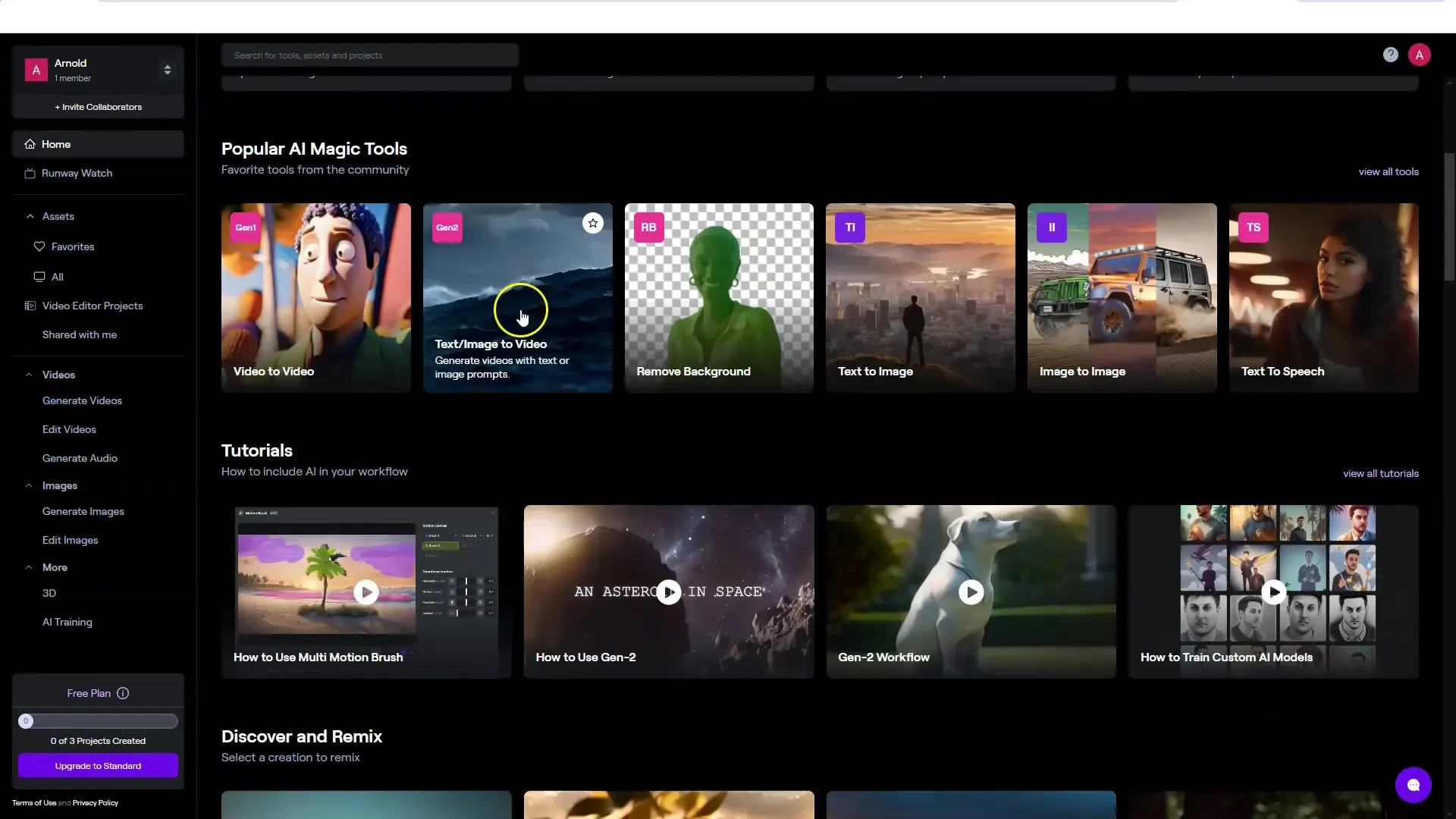
What it is: Runway ML is an AI-powered creative suite built for video generation and editing. It runs in the browser and offers a wide range of AI models covering everything from text-to-video generation (Gen-2) to background removal to stylization. In a VFX context, it is most useful for rapid previsualization and as a smart video editor with AI tools built in.
How it helps artists: Runway's standout feature for VFX work is its automated rotoscoping and masking. The Remove Background tool isolates people or objects in video without manual roto, which accelerates tasks like pulling temp keys or building mattes for compositing. It is not always pixel-perfect, but for prep work and filler shots it saves real time.
Text-to-video lets you generate quick conceptual shots or style references to communicate ideas before committing to production. You can also chain tools inside Runway: remove an object, fill the hole with AI inpainting, all without leaving the platform.
Why it's popular: Runway is a Swiss army knife for quick VFX tasks: plate cleanup, previz, matte extractions, color grading, all accelerated by AI. It is mostly cloud-based with a subscription model, which keeps access simple. You would not finish a Hollywood shot entirely in Runway, but for prototyping and early-stage work it' hard to beat.
5. Adobe After Effects (AI Features with Sensei) – Smart Roto & Object Removal
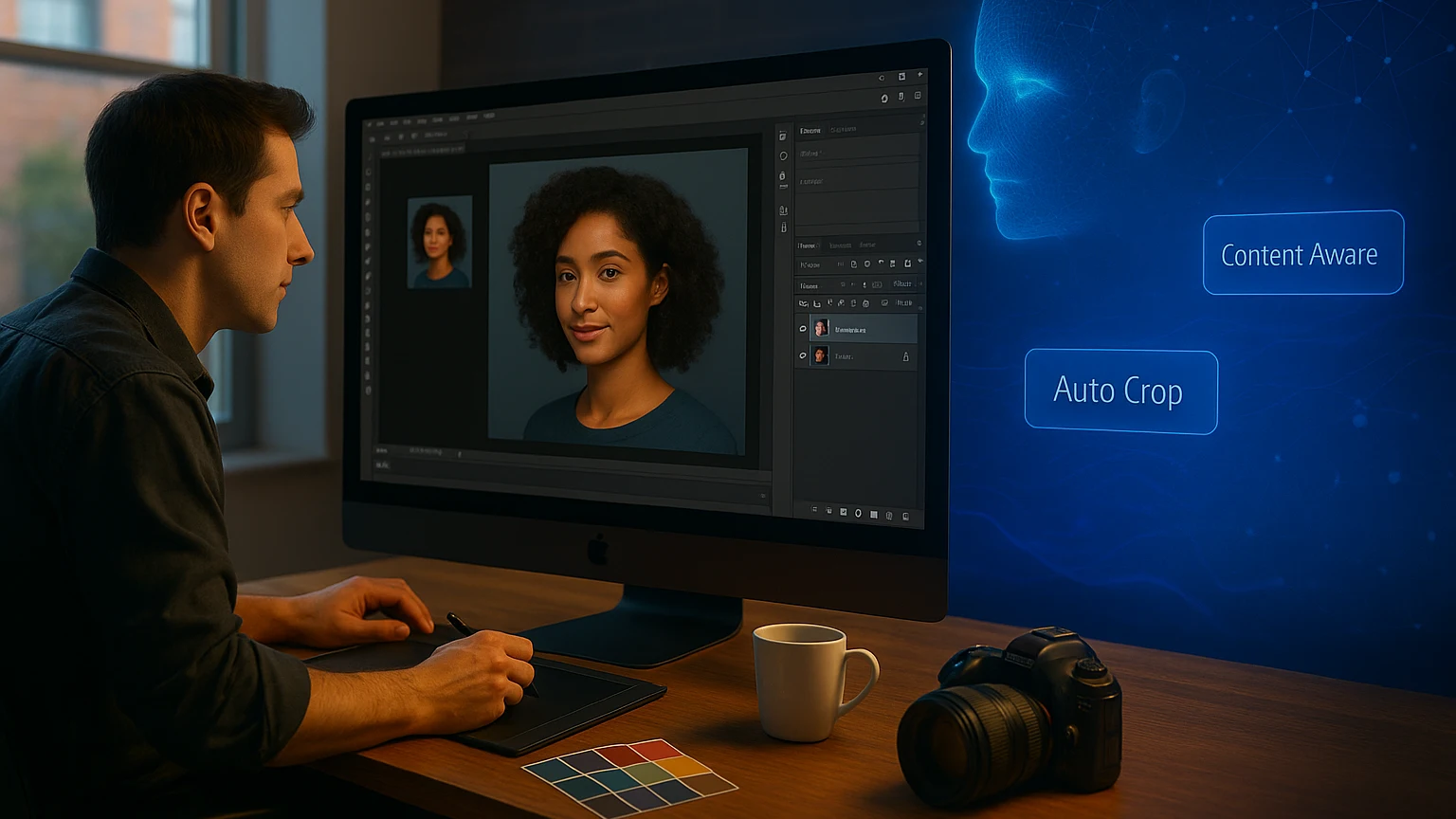
What it is: Adobe After Effects is a long-standing compositing and motion graphics staple, and Adobe has integrated its Sensei AI into AE to sharpen two specific features. Content-Aware Fill for Video, introduced in 2019 and improved since, removes unwanted elements from video automatically. Roto Brush 2, powered by machine learning, does semi-automatic rotoscoping: rough strokes on a subject, and the AI propagates a matte through the clip.
How it helps artists: Content-Aware Fill removes wires, boom mics, signs, and stray passersby without frame-by-frame painting. The AI analyzes surrounding frames to patch the hole. On clean backgrounds or non-critical areas it does enough to save significant hours.
Roto Brush 2 tracks foreground edges, including hair and motion blur, across frames. Instead of drawing splines on every frame you correct the AI matte where needed. That makes matte extraction for sky replacements or isolated color grades much faster.
Adobe has also previewed Generative Fill for video as part of Adobe Firefly, though as of 2026 those are still emerging. The current Sensei tools are widely used regardless: many VFX houses rely on Content-Aware Fill for last-minute removals that previously required a dedicated paint artist.
Why it's popular: Since most artists already know After Effects, there's no new interface to learn. Studios also appreciate that these AI tools are production-proven by Adobe and do not require sending footage to an external app or cloud service.
6. AI Markerless Motion Capture (e.g. Move.ai, DeepMotion) – Animate Characters with a Camera
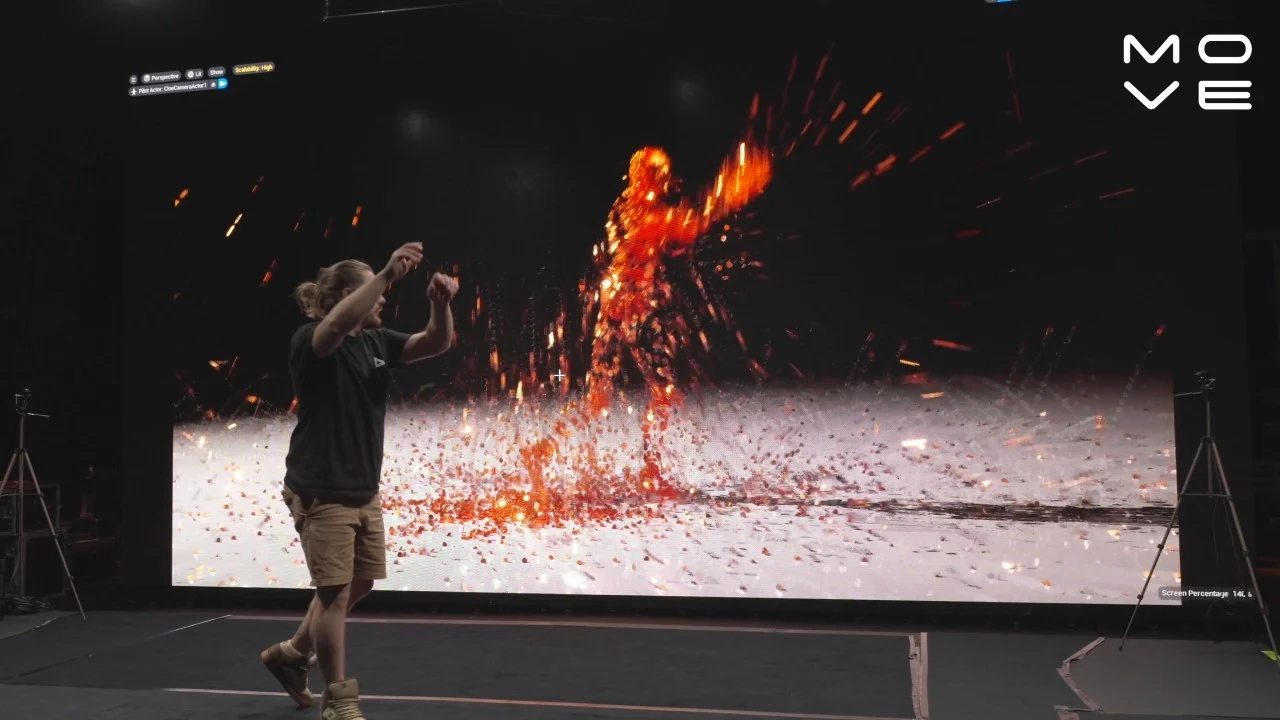
What it is: Markerless mocap tools use computer vision and AI to capture human motion from regular video footage. No special suits. No markers. Two notable players are Move.ai and DeepMotion. Upload a video or use live webcam or phone footage, and the AI analyzes the movement of one or more people and outputs animation data you can apply to a 3D character rig. FBX file. Skeleton data. Ready to retarget.
How it helps artists: Animating realistic human motion by hand is slow. Traditional optical mocap is expensive and out of reach for smaller teams or tight turnarounds. AI markerless mocap fills that gap.
Need a quick background character animation? Film someone doing it and run it through Move.ai to drive your CG character. DeepMotion handles face and hand capture to a degree, and tools like Move.ai support real-time streaming into game engines for virtual production. Instead of keyframing 20 background people running in panic, film a few runs and use that AI mocap to drive all the crowd agents with variations.
Why it's popular: Markerless mocap subscriptions are far cheaper than setting up a mocap stage, and you can use them from anywhere. Move.ai advertises production-ready data from just iPhones, with multiple camera angles improving the solve. If you have a camera and an internet connection, you have a motion capture solution.
Plus, Animators spend less time on keyframing and more time polishing the shot. It is ideal for indie previz and building motion libraries fast, with exports to FBX and BVH for any 3D software.
7. Cascadeur – AI-Assisted Keyframe Animation
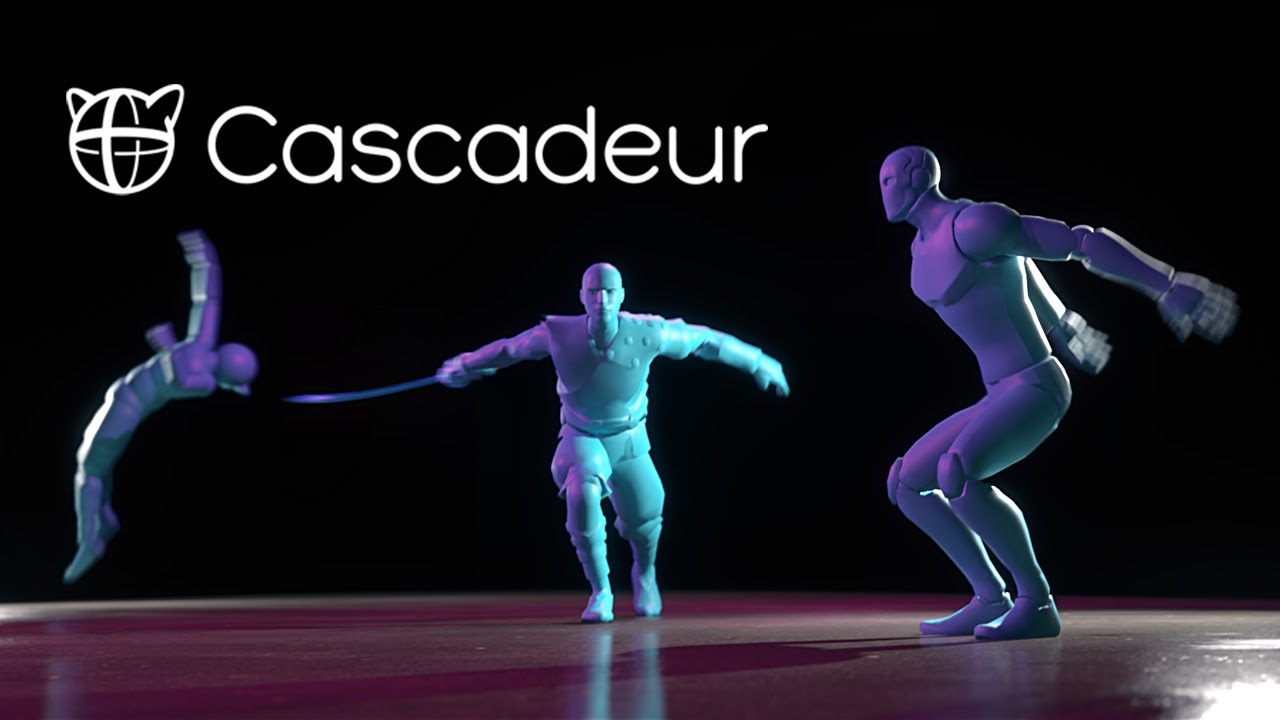
What it is: Cascadeur is a physics-based character animation software that uses AI to assist animators in creating realistic motion. While it's still a keyframe tool, it provides AI suggestions and automation for posing characters naturally, predicting motion arcs, and checking physics plausibility. Pose the character at a few major frames and Cascadeur's AI interpolates rough motion, adjusts timing for weight and balance, and flags corrections to make the animation feel more lifelike. You keep full control to tweak everything.
How it helps artists: For VFX shots with CG characters or creatures, Cascadeur speeds up the blocking stage significantly. Auto-posing helps you land on a balanced, natural pose with correct center of gravity. Trajectory editing predicts the path of motion. Physics checks flag issues like jumps that do not obey gravity.
An animator can rough out an action sequence much faster and refine from there. The output is FBX or other standard formats, so it fits cleanly into Maya, 3ds Max, Unreal, and other VFX pipelines.
Why it's popular: Cascadeur hits the sweet spot between full manual animation and fully automated methods. The AI helps without making arbitrary choices you cannot override. It handles the heavy physics calculations so your characters have proper weight and momentum, reducing tedious fixes like floaty motion or foot sliding. There is a free version for non-commercial use and reasonable pricing for pro. Auto-posing, trajectory tools, and physics plausibility out of the box make it a practical aid for complex character work under tight deadlines.
8. Massive – AI-Driven Crowd Simulation
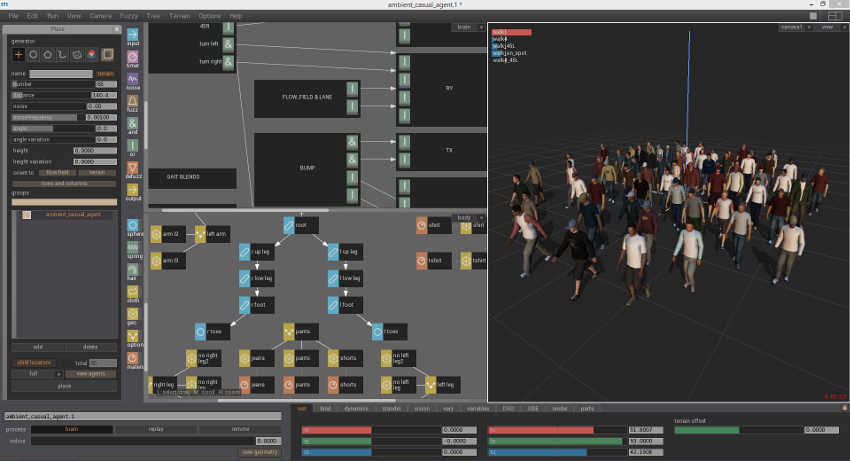
What it is: Massive is a foundational piece of VFX software, known for the autonomous agents used for battles in The Lord of the Rings. It uses AI agents rather than modern machine learning: each crowd character carries a set of behaviors and can react to its environment and to other agents, producing realistic crowd motion at scale. Recent updates have improved export pipelines with Universal Scene Description support, but the AI crowd engine remains its core.
How it helps artists: Large crowd scenes are impractical to animate individually or film with thousands of extras. Massive gives you a procedural, AI-based way to fill those scenes with life. Design a few types of agents with models, animations, and behavior logic, and Massive varies their actions and interactions automatically.
Why it's popular: Massive has been the benchmark for AI-driven crowds at scale for decades, and nothing has fully replaced it. Alternative crowd systems like Golaem for Maya or Houdini crowds get used, but many big studios still turn to Massive for the hardest shots.
9. Luma AI – Neural 3D Capture and AI Scene Augmentation

What it is: Luma AI uses Neural Radiance Fields (NeRFs) and generative AI to close the gap between real footage and 3D. Its iPhone app lets you scan real-world objects or scenes by recording a video, then builds a fully textured 3D model or scene from it. This is photogrammetry pushed further: Luma captures intricate detail, reflections, and lighting via AI. Its "Dream Machine" and video-to-video tools let you restyle video, change time of day, or alter camera angles and focal length in a shot after the fact.
How it helps artists: Luma opens up a few specific possibilities worth knowing about.
- Quick 3D asset creation: Walk around a prop or set with your iPhone and Luma generates a NeRF-based 3D asset with realistic materials. No specialized photogrammetry rig required.
- Environment capture: Luma can capture full environments: rooms, outdoor areas, entire locations. In post, that gives you a 3D representation of your real set for set extensions or camera tracking.
- AI scene editing: Luma's video-to-video AI can shift the look or camera perspective of footage without a reshoot. Take a locked-off shot and ask it for a subtle camera push-in, and the AI synthesizes new frames as if the camera moved. It understands depth, so it is not a 2D zoom. You can also change time of day or style: a summer shot into a snowy one, a clean city into a post-apocalyptic version.
Why it's popular: Luma collapses several steps into one. What started as blurry NeRF reconstructions a couple of years ago are now high-res, detailed assets capable of generating PBR materials and meshes for Unreal or Blender. By 2026, Luma's Dream Machine enables creators to change video framing and camera angles using only a text prompt, with 3D scene awareness and temporal consistency.
10. Topaz Video AI – Upscaling, Denoising, and Frame Interpolation
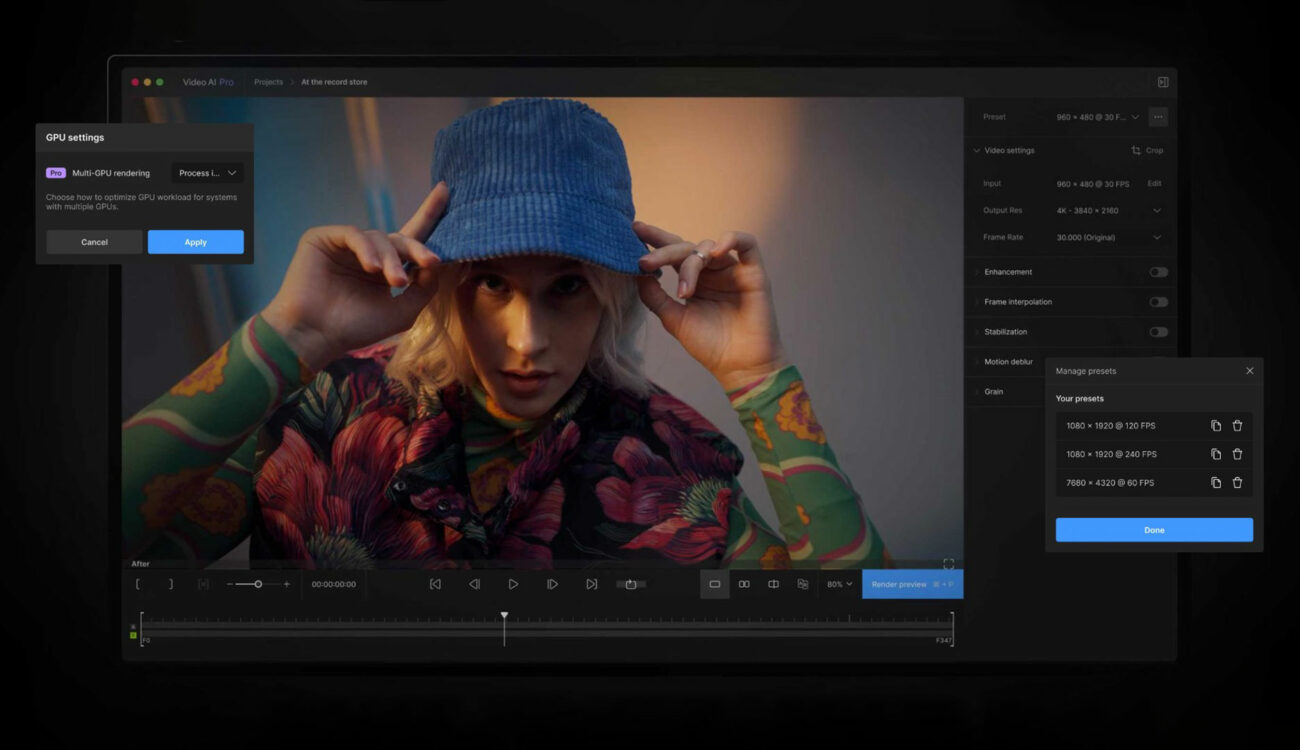
What it is: Topaz Video AI is a post-production tool that uses AI to increase video resolution, reduce noise and artifacts, and boost frame rates through interpolation. It can take poor-quality or low-res footage and make it sharper, cleaner, and smoother. Topaz has trained specialized AI models (Artemis, Gaia, and others) on large amounts of footage to learn how to add genuine detail when upscaling and how to predict intermediate frames for slow-motion or frame rate conversion.
How it helps artists: VFX work regularly involves integrating footage from different sources or hitting delivery specs that do not match what was shot. Topaz covers a few specific scenarios well.
- Upscaling old or low-res footage: Archival SD footage in an HD or 4K project, or a plate shot on a lower-resolution camera that now has to hit a 4K deliverable. Topaz synthesizes detail to bring it up. A 480p clip can reach 1080p or 4K and hold up on screen.
- Denoising and restoring: Noisy night shots or underwater footage can be cleaned significantly without losing detail the way traditional filters do. A cleaner plate means a better key and better final image quality.
- Frame rate conversion and slow-motion: Did not shoot high FPS but need a slow-motion shot? Topaz's Chronos AI model creates intermediate frames to slow down footage or convert between frame rates, from 24fps to 60fps smoothly. Often more natural than standard optical flow.
- General finishing polish: Upscaling can also rescue mildly soft shots. The AI learns what the detail should look like and sharpens toward it.
Why it's popular: Topaz has become standard in professional post, not just for hobbyists restoring old videos. AI-trained models regularly outperform conventional filters on these tasks. Films and shows have used AI upscaling to integrate older stock footage with new 4K footage, and the tool has been used for IMAX and theatrical releases where re-rendering everything under deadline was not feasible. It runs on a decent PC with a good GPU. Cleaner, sharper, or at the right frame rate, in minutes rather than through manual techniques that may not have worked anyway.
Build Your Skills
The VFX industry in 2026 is one where AI tools are not replacing artists, but empowering them. Studios that adopt these tools (and artists who know how to use them well) are finding that they can deliver shots faster without sacrificing quality, often improving quality because the team has more time to fine-tune the creative aspects.
Get Started Today: Build a solid foundation in the latest tools with Introduction to ComfyUI For VFX. Learning to use tools like ComfyUI enables you to focus more on the creative work that only human artists bring to the table. I believe that will be increasingly important as AI tools become more advanced. ComfyUI is a great place to start since it's free and node-based (like Nuke)!